Talkdesk CXA | Flujos de Automatización
Convierta la automatización aislada en procesos empresariales orquestados con Automation Flows.
Coordine los flujos de trabajo de backend de larga duración entre sistemas para que cada interacción con el cliente termine en ejecución.
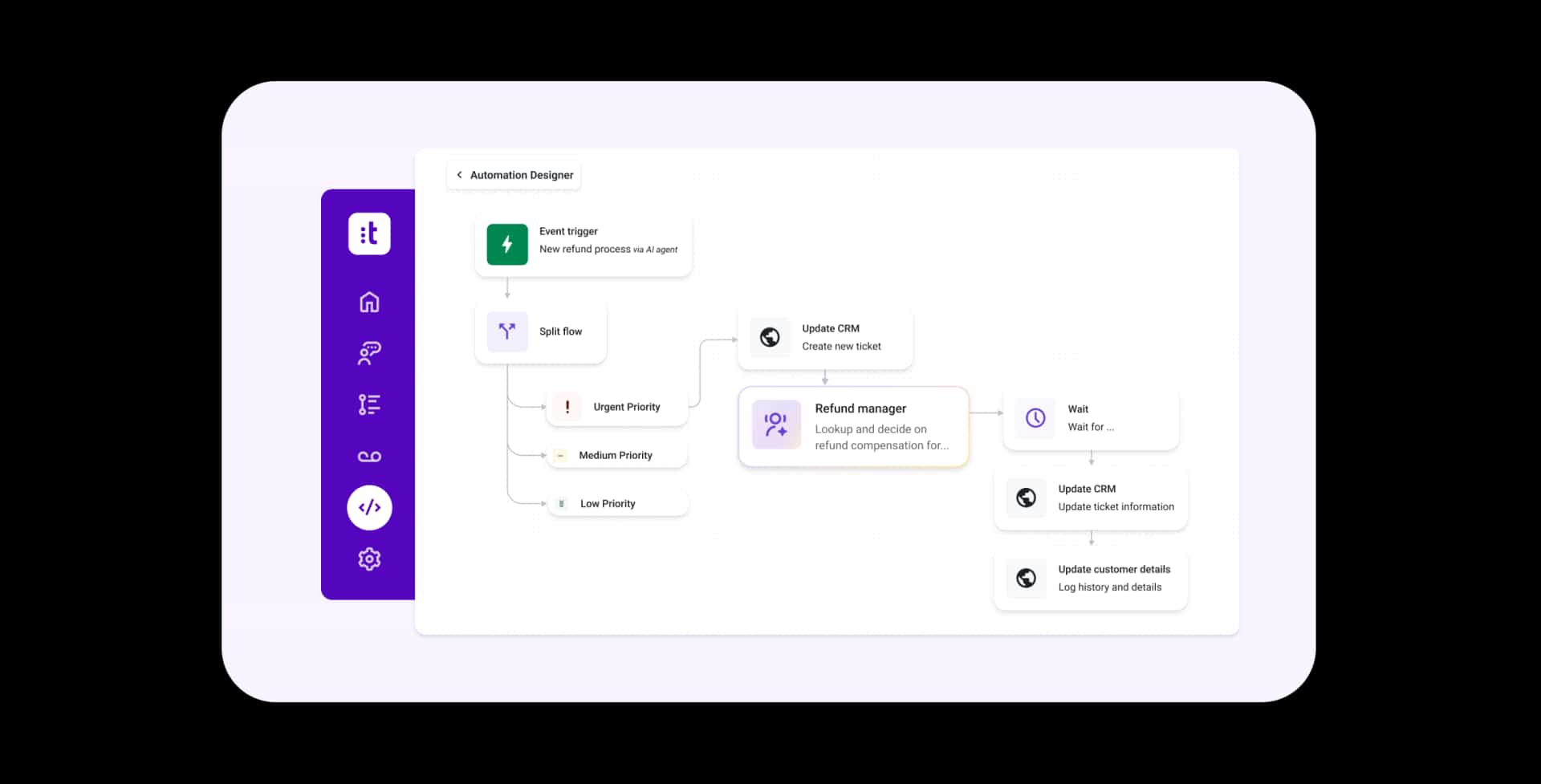
Orquestación en varios pasos
Diseñe flujos de trabajo que coordinen acciones, decisiones y actualizaciones del sistema en múltiples aplicaciones en un solo flujo controlado.
Activadores flexibles
Inicie flujos de trabajo basados en eventos de Talkdesk, condiciones programadas o llamadas API externas para respaldar la ejecución en tiempo real y bajo demanda.
Decisiones divididas
Define múltiples rutas de ejecución para gestionar aprobaciones, excepciones y resultados empresariales condicionales.
Flujos de trabajo de larga duración
Ejecute procesos que duren minutos, días o semanas con pausa, reanudación y seguimiento del estado automatizados.
Mapeo y transformación de datos
Formatee, enriquezca y mapee los datos dentro de los flujos de trabajo para garantizar un intercambio preciso de información entre sistemas.
Integraciones prediseñadas
Combine integraciones listas para usar, conexiones personalizadas y acciones de CTI dentro de una capa de orquestación unificada.
Creación de flujos asistida por IA
Genere y perfeccione flujos de trabajo utilizando prompts en lenguaje natural, con total gobernanza y control.
Monitoreo e informes
Realice un seguimiento del estado de ejecución, solucione problemas y monitoree el rendimiento del flujo de trabajo con información detallada de todos los niveles de sus operaciones.
Automatización del diseño basada en los resultados empresariales, no en las integraciones.
Vaya más allá de las integraciones aisladas hacia flujos de trabajo orquestados que ejecutan trabajo operativo real en todos los sistemas y en todo momento. Diseñado específicamente para operaciones de experiencia del cliente, Automation Flows cubre la brecha entre el centro de contacto y el back office para garantizar que el trabajo avance desde la solicitud hasta su finalización.
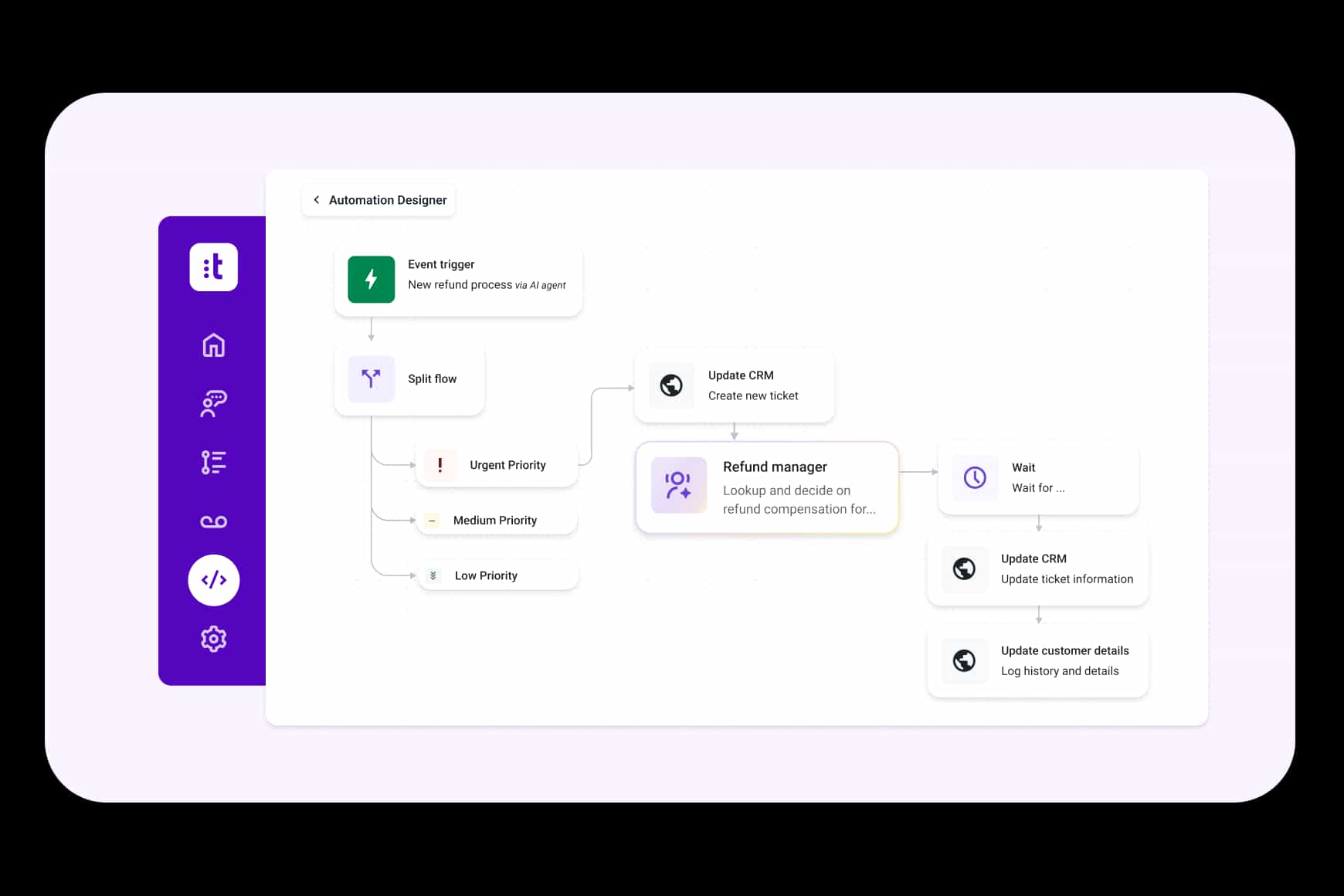
Orquesta procesos empresariales, no solo conexiones entre sistemas.
Conecte las interacciones con la capa operativa significativa mediante flujos de trabajo estructurados y controlados que coordinan la lógica, los datos y las acciones entre sistemas. Sustituya las frágiles integraciones punto a punto por automatización diseñada en torno a procesos empresariales completos.
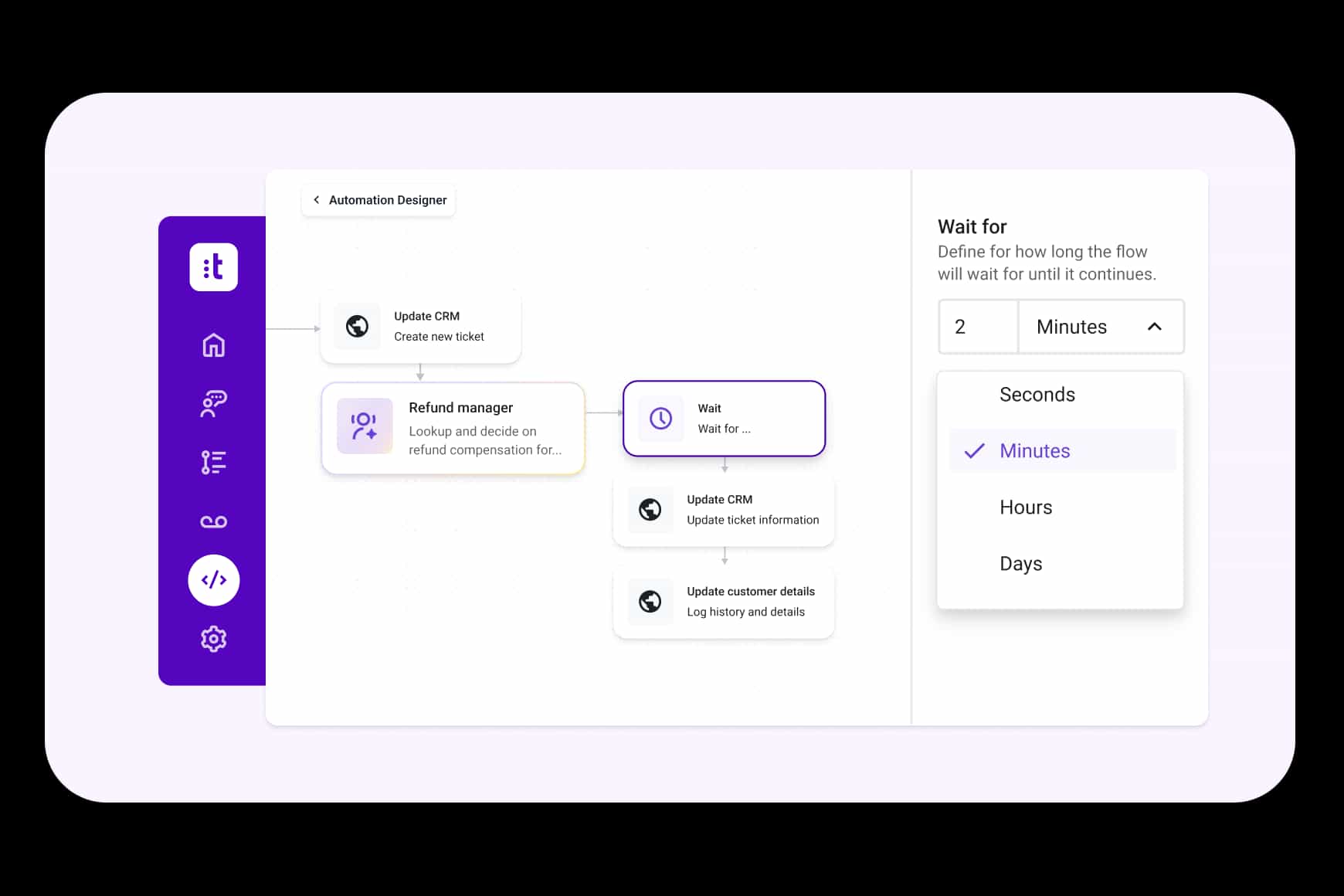
Ejecuta flujos de trabajo que se extienden más allá de un momento determinado.
Gestione las solicitudes de los clientes y los compromisos operativos que no se pueden resolver en una sola interacción. Defina flujos de trabajo que se pausan para aprobaciones, actualizaciones del sistema o cambios de estado y se reanudan automáticamente cuando se cumplen las condiciones.
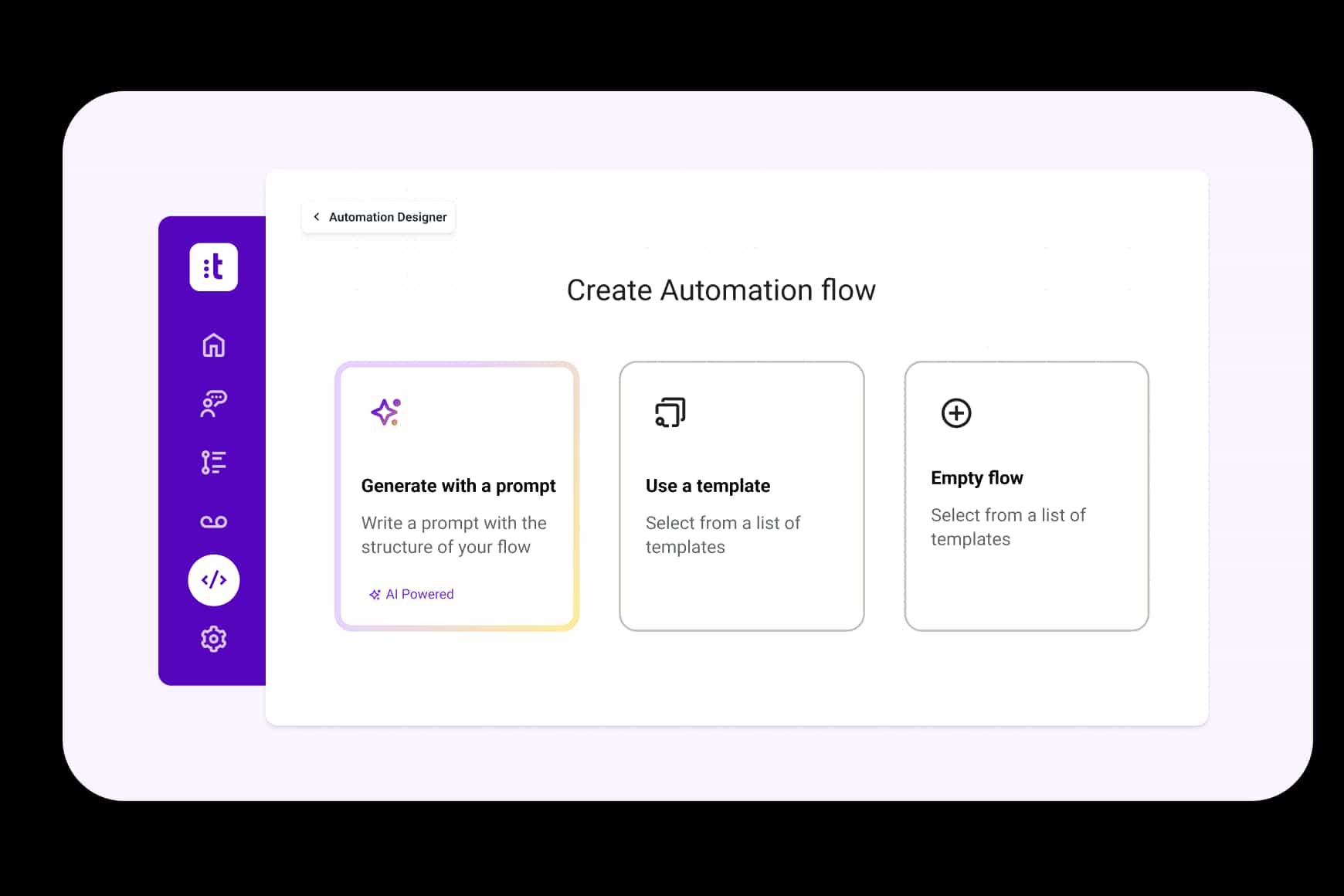
Crea y evoluciona flujos de trabajo con la ayuda de IA.
Cree flujos de trabajo a partir de prompts en lenguaje natural, perfeccione la lógica existente con sugerencias de IA y genere automáticamente documentación clara sobre cómo se ejecutan los procesos. Acelere el diseño manteniendo la gobernanza y la transparencia a nivel empresarial.
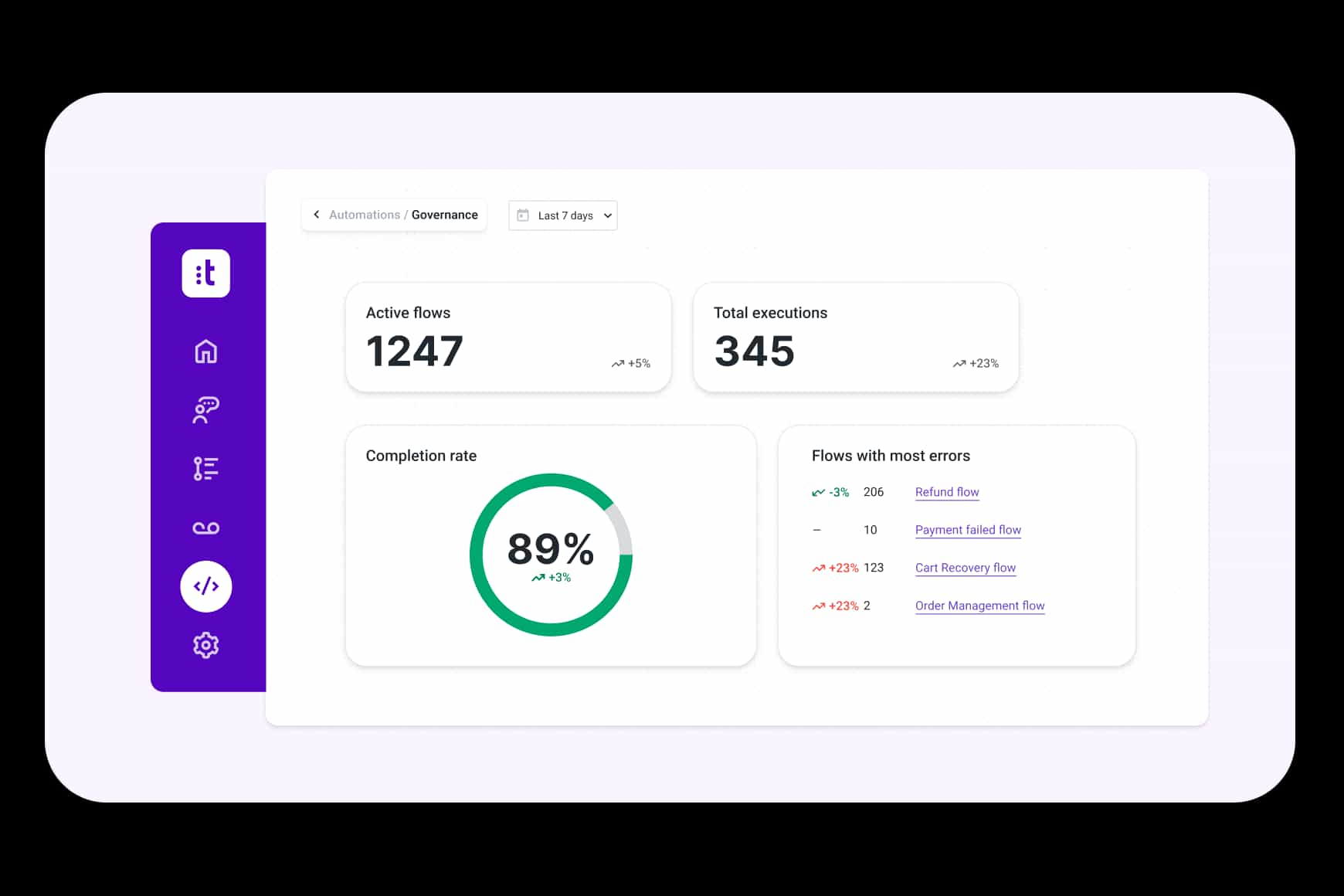
Escala la automatización sin perder el control.
Valide los flujos de trabajo antes de la implementación, gestione los cambios de versión con precisión y monitoree la ejecución en tiempo real. Mantenga total visibilidad sobre cómo operan los procesos, haga que se cumplan las normas de gobernanza y escale la automatización en toda la organización con confianza.
Preguntas frecuentes sobre los Flujos de Automatización.
Las herramientas tradicionales de integración se enfocan en conectar sistemas y transferir datos entre ellos. Automation Flows está diseñado para orquestar flujos de trabajo operativos completos a través de sistemas y de periodos de tiempo. Coordina la lógica, las aprobaciones, los cambios de estado, los datos contextuales y los procesos de larga duración para garantizar que el trabajo orientado al cliente avance desde su inicio hasta la resolución verificada.
Autopilot gestiona las interacciones con los clientes comprendiendo la intención y respondiendo en tiempo real. Automation Flows coordina los pasos operativos que hay detrás de esas interacciones entre sistemas y equipos. Por ejemplo, un agente IA puede confirmar una solicitud de reembolso con un cliente. Automation Flows puede entonces activar las aprobaciones necesarias en el backend, actualizar los sistemas financieros, monitorear los cambios de estado y notificar al cliente una vez que el reembolso se haya procesado por completo. Juntos, conectan la conversación con la ejecución verificada.
Automation Flows respalda procesos en varios pasos como escaladas de casos, aprobaciones de reembolsos, actualizaciones de pedidos, comprobaciones de cumplimiento normativo, comunicaciones de seguimiento y otros flujos de trabajo operativos entre sistemas. Cualquier proceso que requiera coordinación entre sistemas, equipos o plazos puede estructurarse y ejecutarse dentro de un único flujo controlado.
Sí, Automation Flows incluye capacidades de prueba, control de versiones, monitoreo de la ejecución y controles de gobernanza para garantizar que los flujos de trabajo funcionen de forma fiable y a gran escala. Las organizaciones pueden validar los cambios antes de la implementación, mantener la visibilidad del estado de la ejecución y hacer cumplir las normas operativas en todos los equipos y sistemas.
Explore más productos de CXA.
Productos impulsados por IA diseñados para planificar, coordinar y realizar un trabajo real con los clientes a lo largo de todo el viaje del cliente.
Su viaje hacia la experiencia del cliente IA-first empieza aquí.
Transforme la forma en que se conecta, atiende y satisface a sus clientes en todo momento y en cualquier lugar.